
Focused, private, client-ready
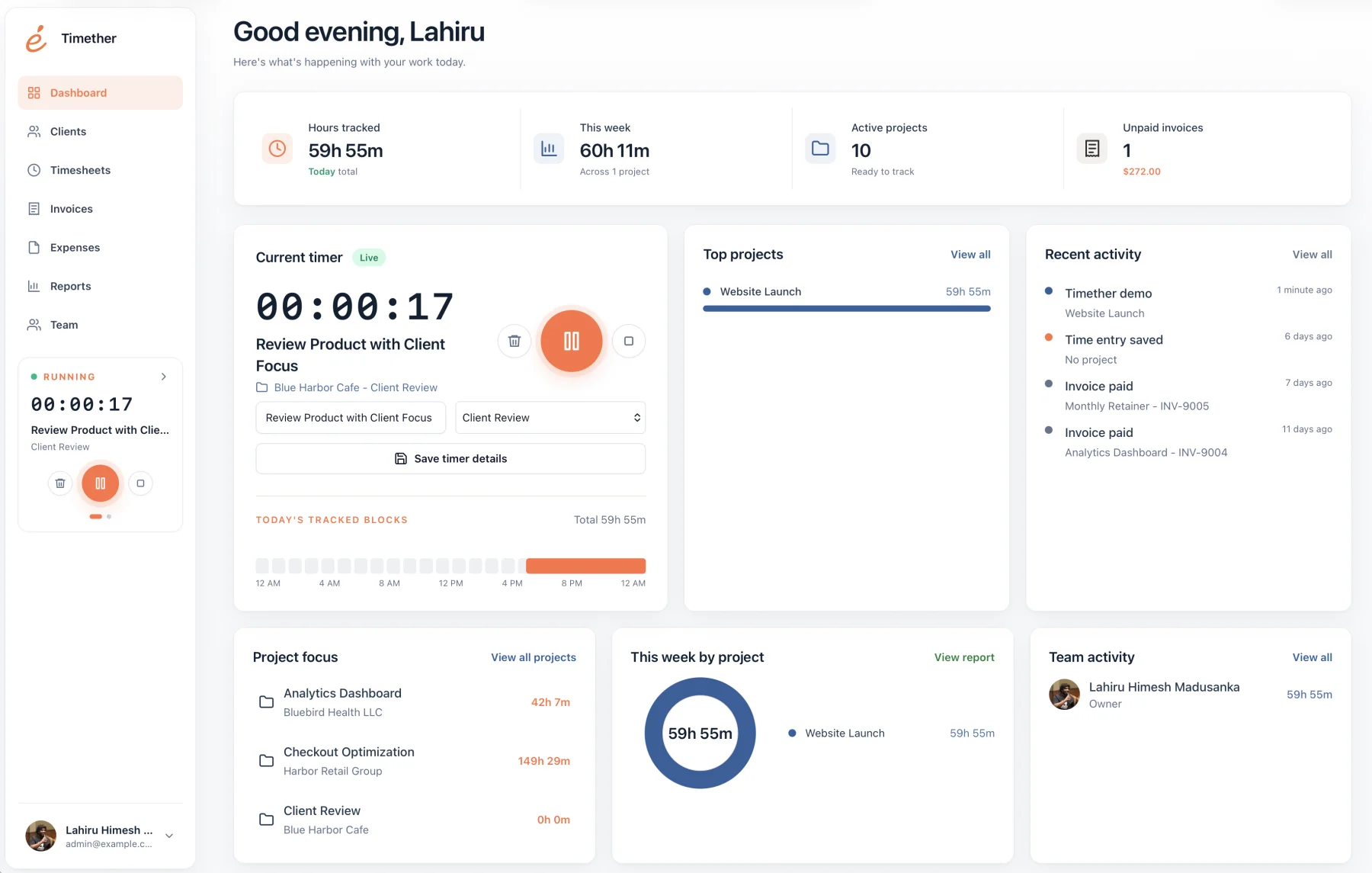
Choose Timether when you want a focused, modern workspace for client and project time, expenses, invoices, online payments, reports, exports, and team collaboration.
Timether vs Toggl Track
Toggl Track is an established time tracking product used by individuals and teams. Timether is a focused alternative for freelancers, consultants, and small agencies that want to capture billable work and produce clear client reports without turning time tracking into surveillance.
Both products take trust seriously. Toggl publicly states that it does not support screenshots or shared app-usage monitoring. The practical difference is product scope: Timether is deliberately shaped around lightweight client work, billable records, reports, and small-team workflows.
14-day free trial. No credit card required. No screenshots.
Best fit
The right choice is less about a longer feature list and more about whether the product matches your daily workflow.
Choose Timether when you want a focused, modern workspace for client and project time, expenses, invoices, online payments, reports, exports, and team collaboration.
Toggl Track is a mature, widely adopted time tracker with a large integration ecosystem and broad workflow coverage.
At a glance
Feature availability can change. Verify plan details with each provider before purchasing.
| Capability | Timether | Toggl Track |
|---|---|---|
| Timer and manual entries | Included | Included |
| Projects and clients | Included | Included |
| Reports and exports | JSON, CSV, and PDF | PDF, CSV, and XLS |
| Invoices and online payments | Solo Pro, Team, and Business | Available by plan |
| API and automation | API tokens and Zapier on Team and Business | Integrations and API available |
| Screenshots | No | No |
| Privacy approach | Trust-first by design | Public anti-surveillance stance |
| Best fit | Freelancers and small agencies | Individuals and broader teams |
Toggl has earned its place as a familiar general-purpose timer. Some users, however, do not need a large ecosystem or a product that serves many different operating models. They need a calm place to track client work, review a week, and turn time into something a client can understand.
A focused alternative can reduce setup decisions and keep the product closer to the billing workflow. That matters when time tracking is a supporting business habit rather than a full operations program.
This is not a comparison between a private product and a surveillance product. Toggl explicitly says it does not take screenshots and keeps automatically recorded activity private to the user until it is converted into a time entry.
Timether shares that trust-first philosophy while putting more emphasis on straightforward reports, invoices, exports, and workflows for independent professionals and compact service teams.
Run the same real client workflow in both products for a week. Create a client, add two projects, track a mixture of timed and manual work, correct an entry, set a billable rate, and produce the report you would actually send. This exposes workflow friction more reliably than comparing feature checklists.
Also test the moments around the timer: how quickly you can recover a forgotten task, whether project names remain easy to scan, and whether the final report needs manual cleanup. A tracker earns its place when it improves the whole record, not only the act of pressing start.
Common questions
Short answers about privacy, features, and fit.
No. Timether is designed to help people understand time, projects, clients, and billable work. It does not use screenshots, keystroke logging, mouse tracking, or hidden activity monitoring.
No. Timether tracks the time and work details that people intentionally record. It does not capture screenshots.
Timether is built for freelancers, consultants, small agencies, indie teams, and growing service businesses that need clear time records and client-ready reports.
Timether is the focused choice for client work, expenses, billing, online payments, reports, exports, and privacy-first team workflows. Toggl Track has a longer-established integration ecosystem.
No. Toggl states in its official support documentation that Toggl Track does not support screenshot functionality or shared app-usage monitoring.
Research notes
Start with better records
Try privacy-first time tracking built around billable client work, clear records, and reports that are ready when it is time to explain the invoice.